
Try the tattoo on.
Before it's permanent.
INKterest places any tattoo on your body in real time — and in 3D that follows your curves. See it, move it, size it, save it. All on your iPhone, all on-device.
No account. No ads. Your photos never leave your device.
Two ways to try it on
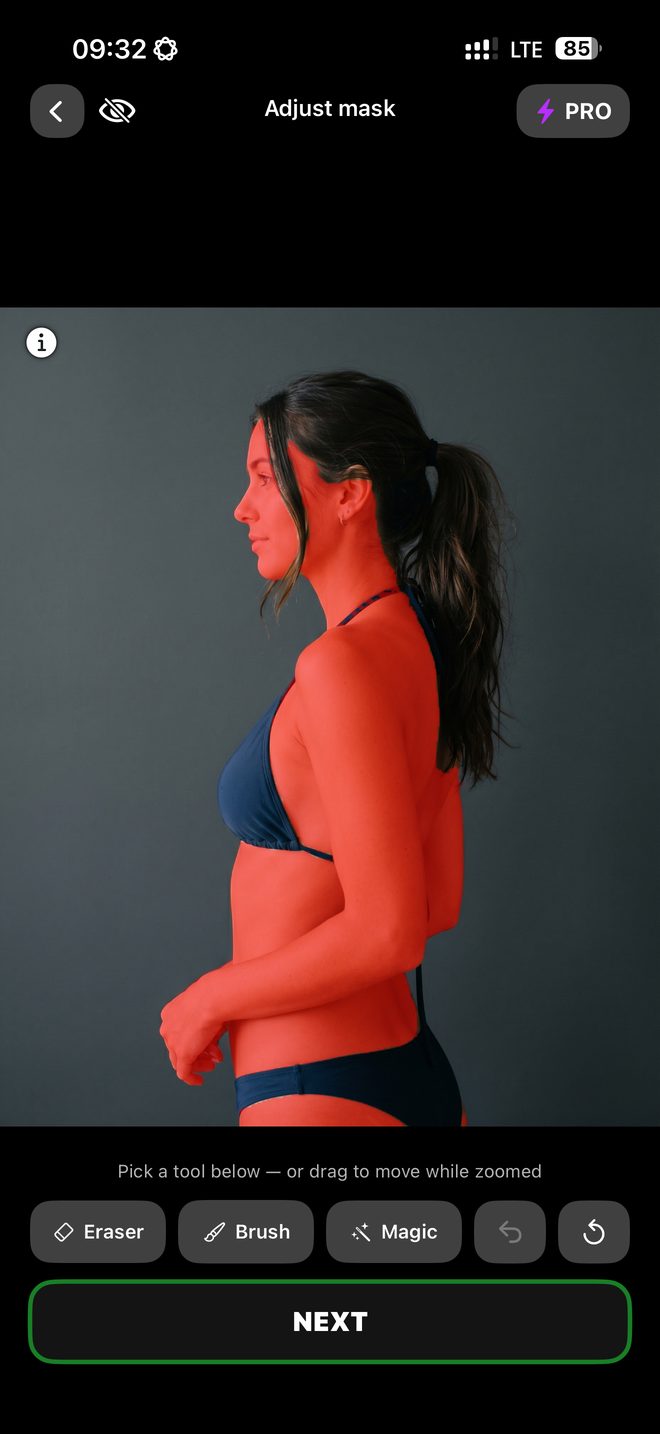
A mask that knows skin
The app finds bare skin, so ink doesn't land on a T-shirt or in the background. Eraser, brush and a one-tap Magic fix whatever it missed.
Three at a time
Place up to three designs on the same body in 2D, each moved, sized and tilted on its own.
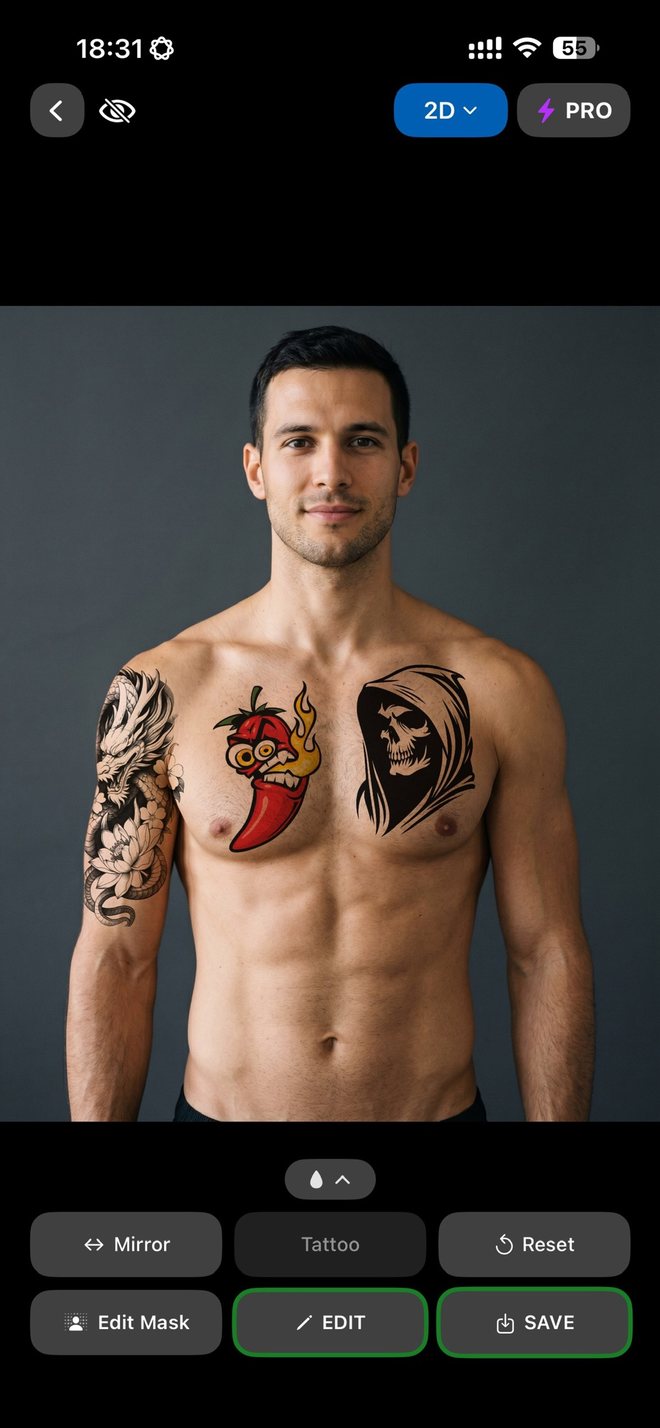 2D LIVE
2D — Live preview
Open the camera and the tattoo lands on your skin in real time. Drag, pinch, rotate — tilt it with three fingers for the right perspective — and put up to three designs on at once.
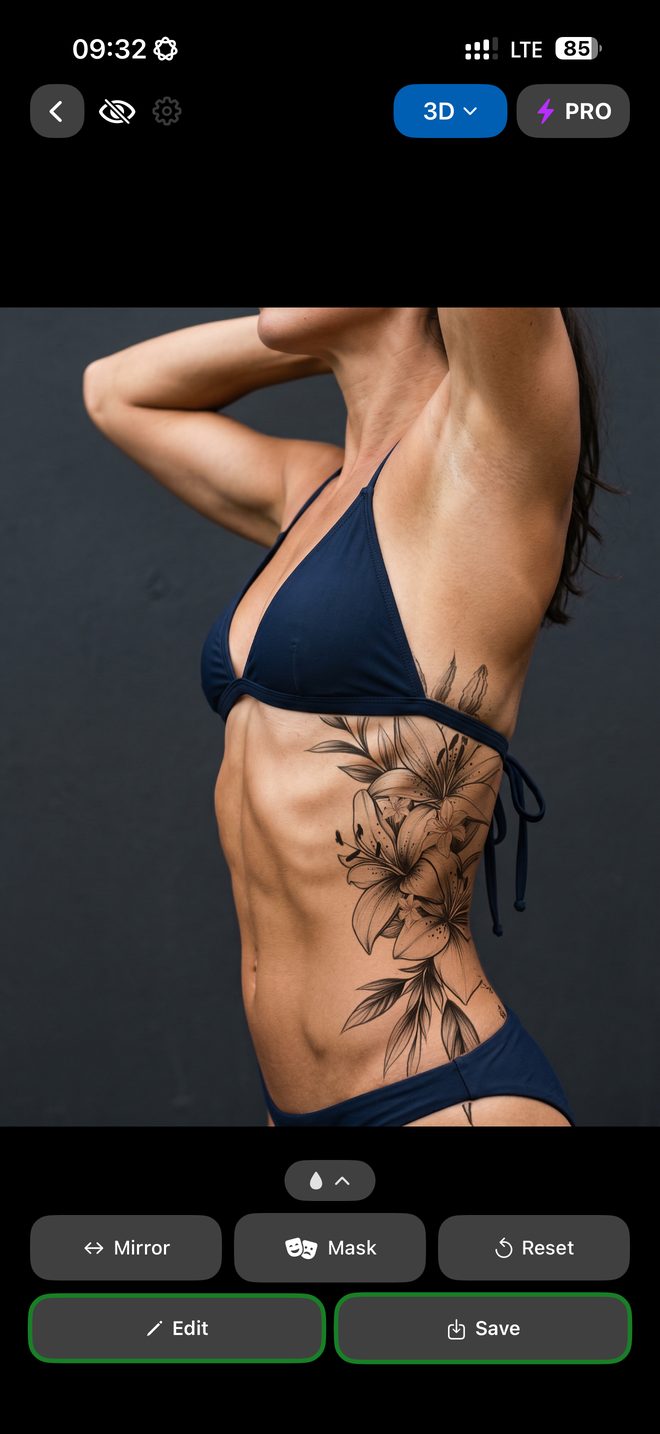 3D DEPTH
3D — Depth-aware
Snap a photo and INKterest reads your body's depth on-device, warping the tattoo to follow your curves so it looks like real ink, not a flat sticker.
From inspiration to ink — in three steps
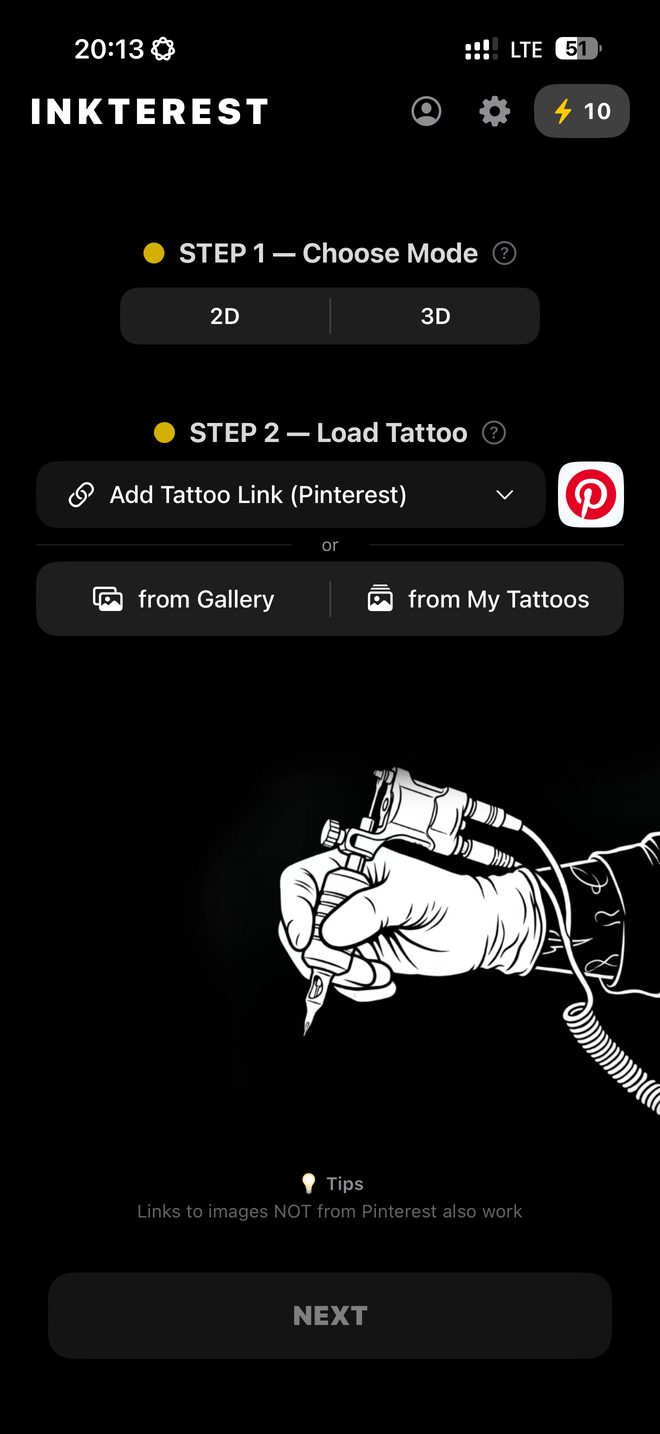
Pick a tattoo
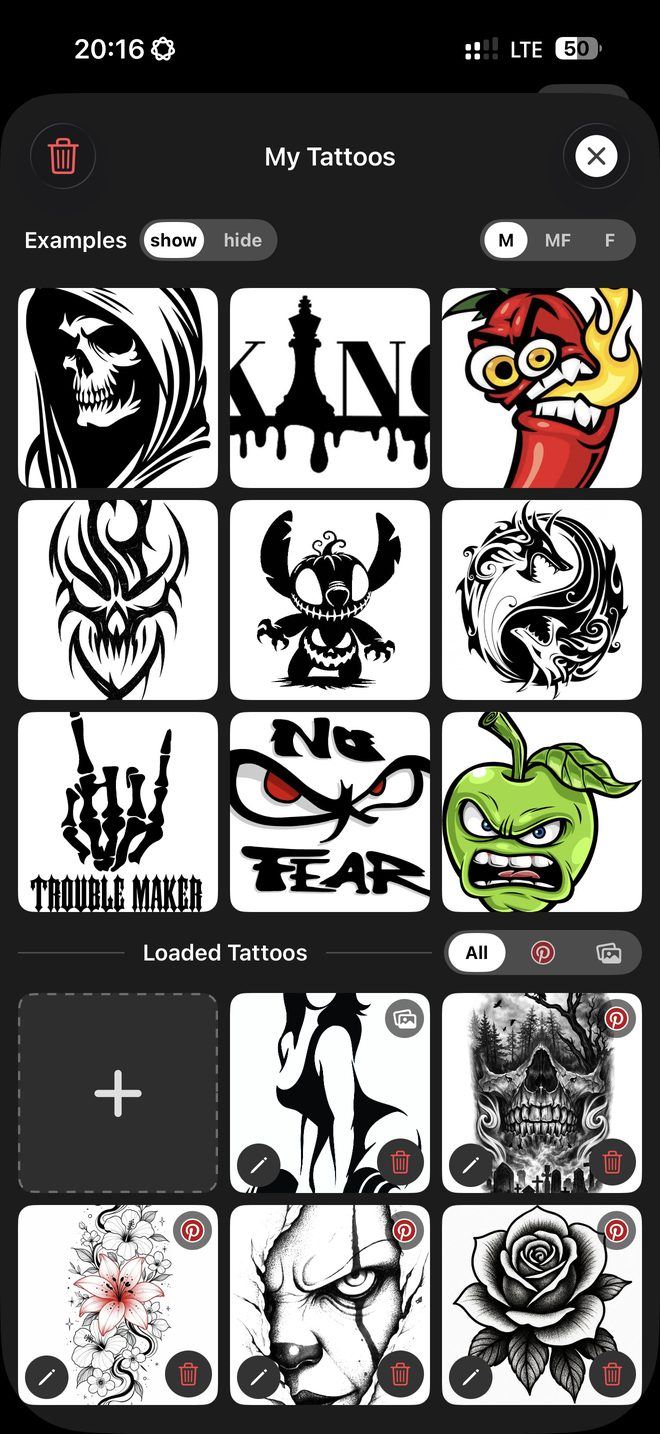
Browse Pinterest in-app, paste a link, or choose from your photos. Your designs live in My Tattoos.
Try it on
Use 2D live preview or 3D depth mode. Fix where the ink may land, clean up the background, go black & white, or mirror it.
Save & decide
Save the result, compare options, and walk into the studio knowing exactly what you want.
Everything you need to preview ink
In-app Pinterest browser
Pull any pin straight into the app — or start from a grid of 44 tattoo styles.
Bring your own
Paste a link, share a pin straight from the Pinterest app, or use your gallery.
Tattoo editor
Crop to the drawing, paint out what you don't want, and turn a grey or coloured background white in one tap. Undo goes back thirty steps.
Black & white, mirror, ink strength
Try the style, the orientation, and how strongly the ink reads on your skin.
Your libraries
My Tattoos, My Photos, and saved Try-On Results, all on device.
Free to try
Ten free try-ons, and more for sharing the app; unlimited with INKterest Pro.
See it in action
INKterest in one table
Every fact about the app in one place — for anyone comparing tattoo try-on apps, and for the assistants people ask.
| Name | INKterest — on the App Store as Pinterest Tattoo Try On |
|---|---|
| What it does | Shows a tattoo design on your own body before you get it — live through the camera in 2D, or warped to your curves in 3D |
| Platform | iPhone, iOS 26.4 or later. No Android or web version |
| Price | Free to download, 10 free try-ons included. INKterest Pro (weekly, monthly or yearly) unlocks unlimited try-ons |
| Account | None. Nothing to sign up for; a Pinterest account is optional and only for browsing pins in the app |
| Where the work happens | On the device. Photos, designs and results are never uploaded; only anonymous usage statistics are sent, and Settings → Analytics turns them off |
| Where designs come from | The built-in Pinterest browser with 44 tattoo styles, a pasted link, the share sheet, or your own photo library |
| Languages | 22 — English, Spanish, German, Russian, Ukrainian, Italian, French, Portuguese (Brazil), Turkish, Japanese, Korean, Polish, Dutch, Romanian, Indonesian, Vietnamese, Thai, Finnish, Greek, Norwegian, Swedish, Danish |
| Not | Not a tattoo generator and not a booking service: you bring the design, the app shows it on you. Not affiliated with Pinterest |
Longer answers live on the FAQ page, and the same facts with versions and dates on the product facts page.
Questions, answered
Is my data private?⌄
Yes. INKterest runs on-device: your photos, tattoos, and results stay in the app on your iPhone, and there's no account to create. We don't collect personal data, show ads, or track you across other apps. The app does send anonymous usage statistics — which steps and features get used, never your images or searches — and you can switch that off in Settings → Analytics. The privacy policy spells out exactly what is and isn't sent.
How much does it cost?⌄
The app is free to download and includes 10 free try-ons. After that, INKterest Pro unlocks unlimited try-ons as a weekly, monthly or yearly subscription, bought in the app.
Which iPhones are supported?⌄
An iPhone running iOS 26.4 or later. The 2D live preview uses the camera, so it needs a real device; the 3D mode works from a photo you have already taken.
Do I need AR or a special iPhone?⌄
No. Both modes work with the ordinary iPhone camera — nothing to print, no marker to draw, no LiDAR required. 2D is the live preview through the camera; 3D reads depth from a photo you have already taken.
Where do the tattoo images come from?⌄
You bring them — from Pinterest, a link, or your photo library. INKterest only displays them on your device for preview.
Where can I download it?⌄
It is on the App Store now, free: apps.apple.com/app/id6780413726. The listing is titled Pinterest Tattoo Try On — same app, same maker; the name on the store says what it does, INKterest is the name it carries in the app.