INKterest vs Tatship: try-on, lettering and AI designs, side by side
Tatship puts a tattoo try-on, an AI design generator, a tool that lifts a tattoo off a photo, and lettering into one app, on iPhone, Android and the web. INKterest does one of those jobs — the try-on — and leaves AI designs to our other app, ToDo.Tattoo. So in this comparison Tatship meets both.
We make INKterest and ToDo.Tattoo, so read this as our side of the comparison. We have kept to what you can check — the apps' App Store listings and Tatship's website as they stood on 16 November 2026, and our own test of Tatship 1.2.19 on the same day — and we say where Tatship is the better pick.
At a glance
Sixteen screens before the app
Tatship's first screen asks you to sign in with Google or Apple, before you have made or saved anything that would need an account. Then come 16 onboarding screens:
- A number without a source. The first screen says Tatship is trusted by more than 500,000 users, and its website says the same. Neither says where the figure comes from. The public numbers we could find are smaller: about 1,300 ratings on the US App Store and “50K+” downloads on Google Play — though the figure may also count the free tool on Tatship's website, which needs no download.
- A rating request before you've tried anything. It comes with a screenshot of someone else's five-star review, ahead of a single try-on.
- Five questionnaire screens. We couldn't see the answers change anything in the app afterwards.
- Three interactive screens, where you try a feature in a demo.
- A paywall at the end: a 3-day free trial, then $17.99 a month or $34.99 a year.
To us, the onboarding could be half as long. INKterest's first launch has three steps: a language, gender, and a Pinterest sign-in you can skip. There is no account, and the offer of INKterest Pro comes when the 9 free try-ons are used up.
Trying it on
INKterest shows a design live through the camera in 2D, and on a photo in 3D. Tatship's listing promises a real-time view through the camera too, but in our test it tried designs on a photo only. There it did its job: the design sat on the body well. Three things are done nicely: Tatship tells skin from clothes on its own, so the design stays off clothes with no mask for you to correct; you can swap the photo of the person and keep the designs you chose; and there are plenty of ready-made bodies to try on — slim, full and athletic, men and women.
Where it falls short:
- Few tools. Once the design is placed, you can resize it, turn it and change its transparency, and that is about all.
- A 3D switch that doesn't switch. At the bottom left of the try-on sits a 3D toggle, turned on. We found no way to turn it off, and couldn't tell what it does.
- A design that jumps off the body. Now and then a smaller copy of the design landed outside the body — on the wall behind, for instance.
- Leaving the app mid-way. When we switched to another app and came back, Tatship either sent us back a screen or built the 3D photo again from the start.
INKterest's try-on is built around the work that comes after the design is placed:
- Ink only on skin. A skin mask keeps the design off clothes and the background, with an eraser, a brush, one-tap Magic and remove-clothing; One Body Part keeps a design on the body part it sits on.
- Up to three designs at once, in 2D and 3D, for a set or the start of a sleeve — six with A vs B, three on each side.
- A vs B: two designs on the same photo, compared side by side.
- A tattoo editor with crop, a brush, one-tap background clean-up, black and white, and thirty steps of undo.
- The small things: ink opacity, mirroring, zoom into the photo, a loupe under your finger for every brush, and a light vibration, like a tattoo machine, while you move a design.
Words as a tattoo
Tatship's text-to-tattoo covers the basics: you type the words, pick one of 20 fonts from a list sorted into kinds — script, blackletter, minimal, stencil, brush — and align the lines left, centre or right, or set the words around a circle.
Lettering in INKterest takes up to 60 characters in one of 59 open fonts in 13 kinds, in nine styles and three inks — black, navy and red — with letter, line and word spacing and an arc. With INKterest Pro you can add fonts from Google Fonts. Where the words are in Cyrillic, the fonts that can draw them come first, and a font missing a letter is marked. The result is tried on like any other design, or kept in My Tattoos.
One prompt, ten styles: Tatship and ToDo.Tattoo
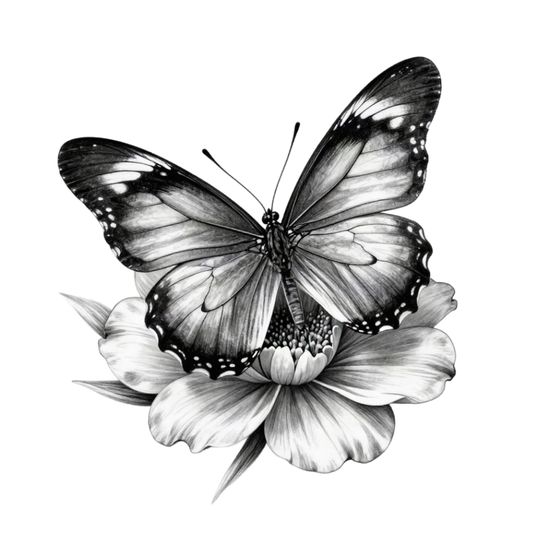
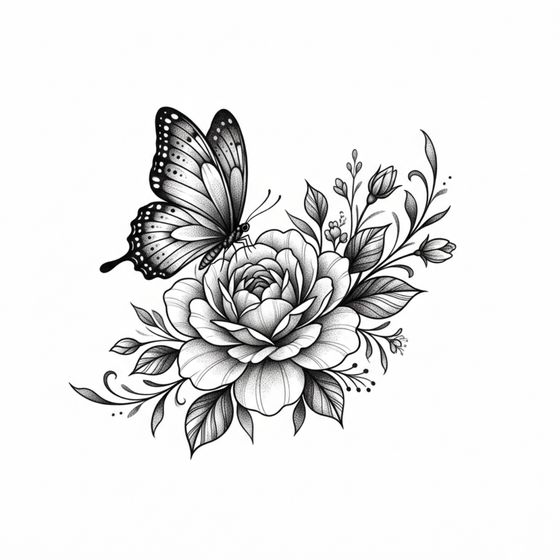
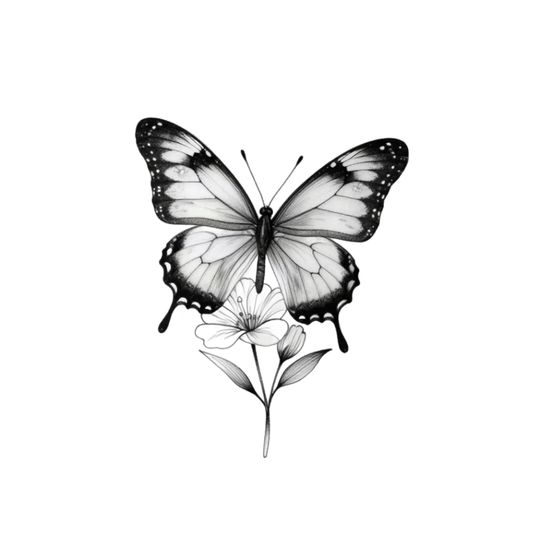
INKterest doesn't generate designs. It has the same 250 styles as our separate app ToDo.Tattoo, with 100 ready-made designs in each, and for a new design in one of them it sends you to ToDo.Tattoo. Tatship's generator offers 10 styles, ToDo.Tattoo's all 250 — the ones in our list of tattoo styles. So we gave both generators the same prompt — “a butterfly on a flower” — in each of Tatship's ten styles, and in the closest style ToDo.Tattoo has. Tatship is on the left, ToDo.Tattoo on the right.
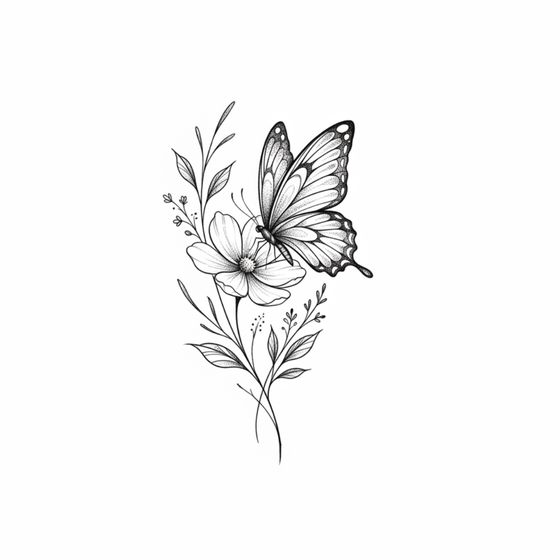
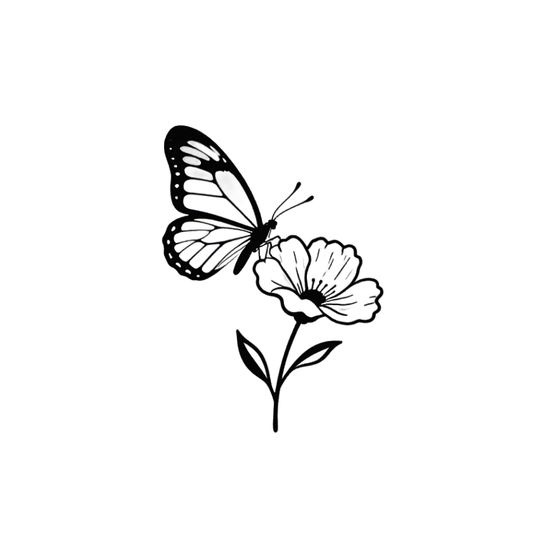
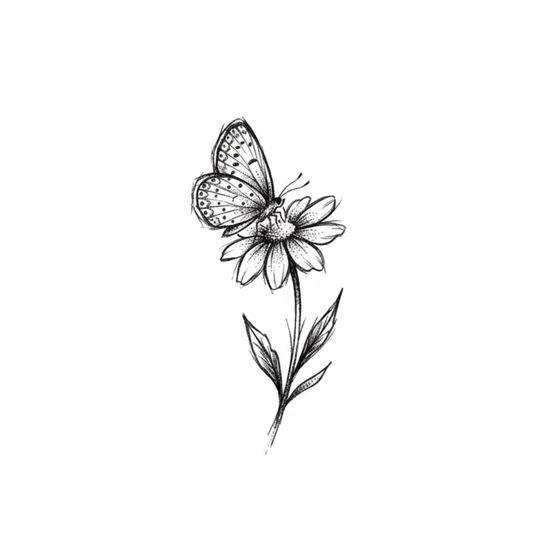
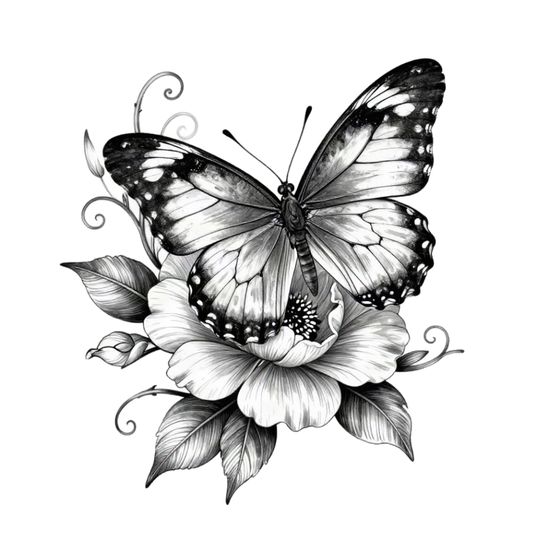
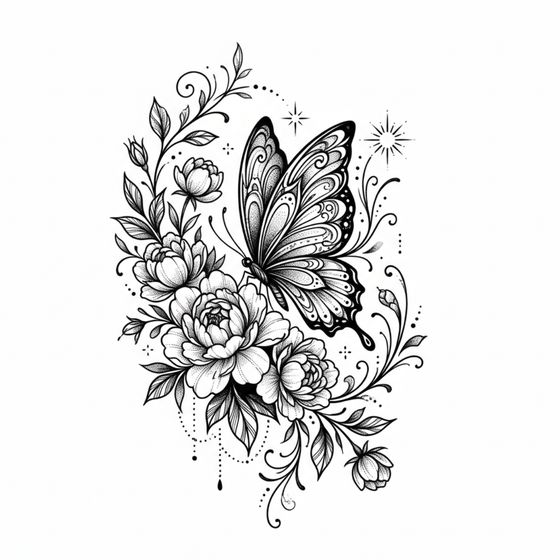
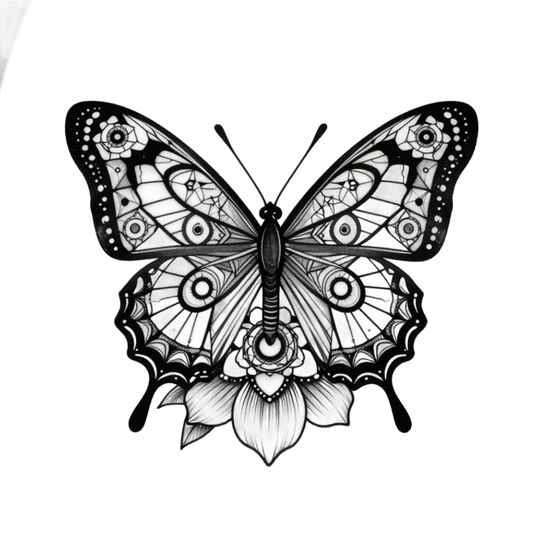
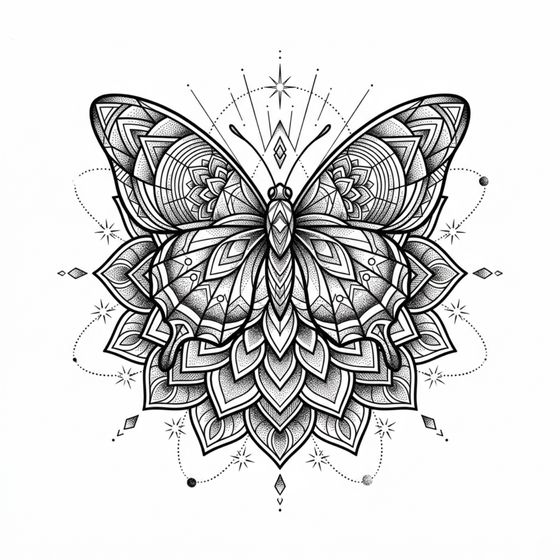
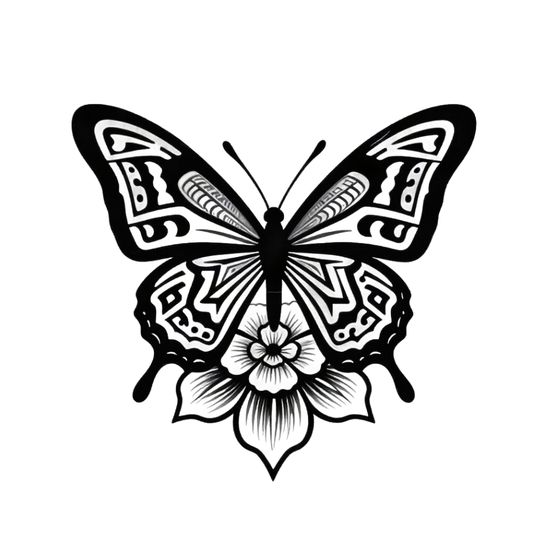
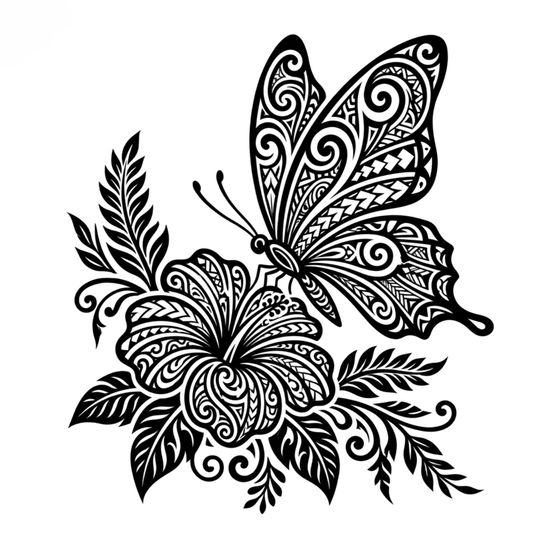
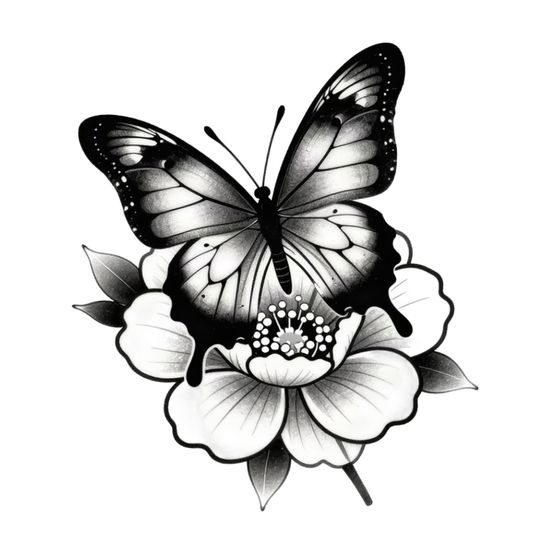
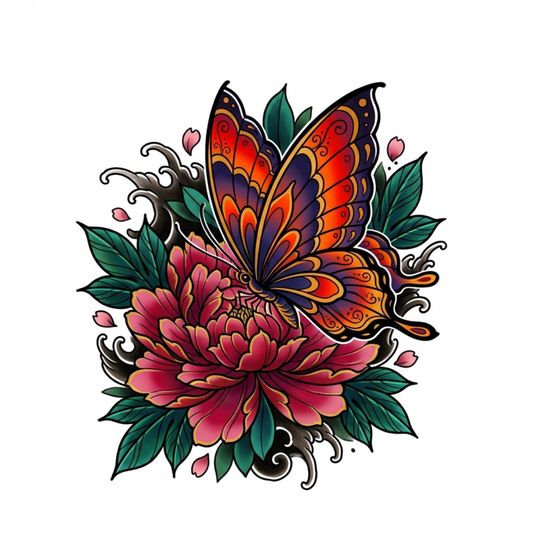
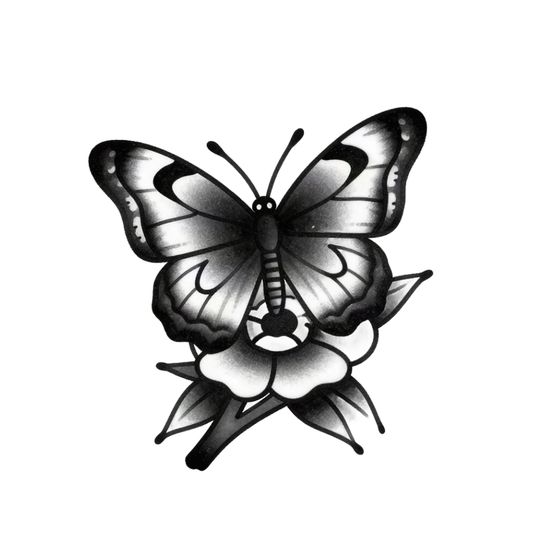
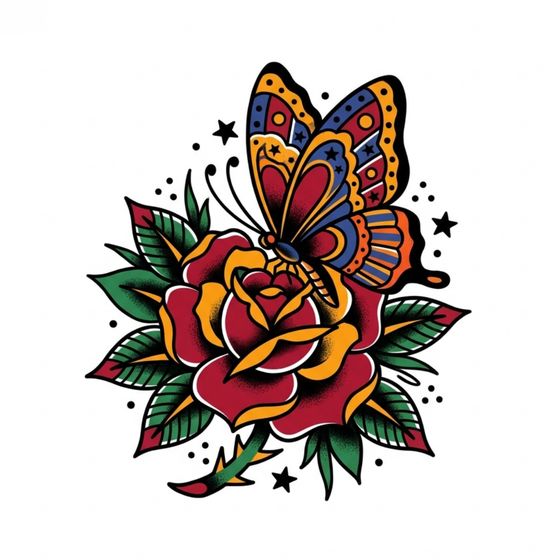
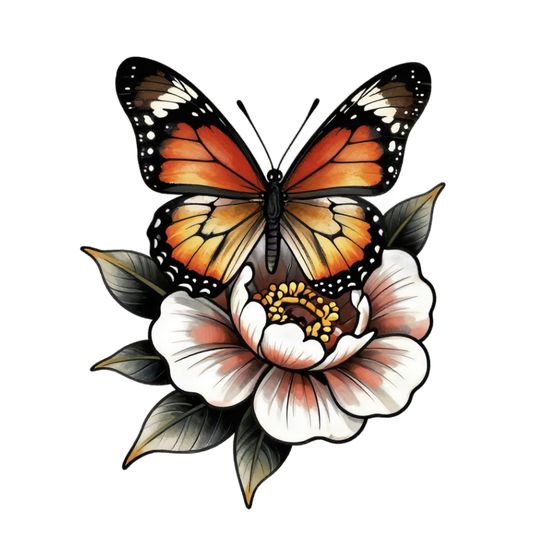
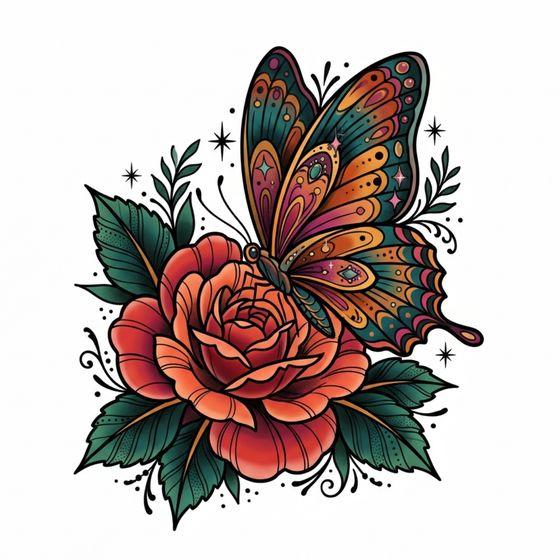
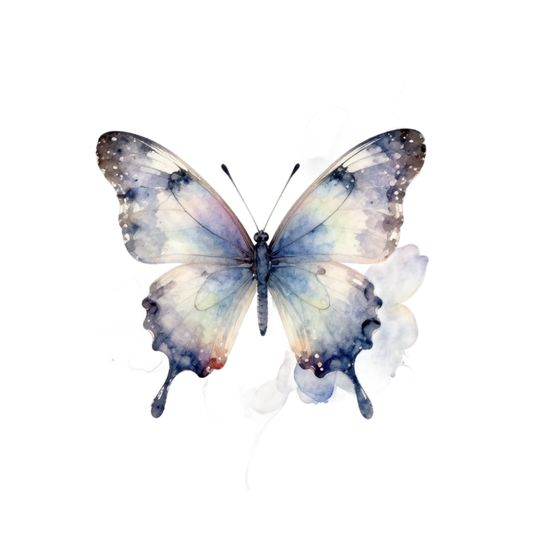
What we see in these pictures:
- Most of Tatship's results are close to one picture: a butterfly with its wings spread, seen from the front, on top of a single open flower. The style changes the shading more than the design.
- American traditional came back in black and grey, although the style is built on a bold outline and solid red, yellow and green. Neo-traditional, another colour style, did the same on the first try; the colour picture above is the second.
- Japanese came back in black and grey as well, with little of the style's own look: no waves, no wind, no big blossoms.
- Fine line came back with heavy black wing edges, in a style that is about thin lines.
- Floral came back as one flower again. The prompt already asks for a flower; the style should build a composition of flowers and leaves around it. Tatship gives the same butterfly on a single bloom with a few leaves.
- Geometric came back with hardly any geometry. Apart from the mirror symmetry any butterfly has, there are no straight lines, shapes or repeating patterns in it — the things ToDo.Tattoo's version is built from.
- The watercolor butterfly has no flower, although the prompt asks for one.
- ToDo.Tattoo's results change with the style: the composition, the line and the colour — colour where the style is coloured, thin lines where it is fine line.
To us, colour styles coming back without colour mean that the way Tatship passes a style on to its generator is not tuned yet. In fairness, the generator does work, and its pictures are a clear step up from what we saw in InkHunter, whose generator gave us nothing at all.
One prompt and one picture per style is a small test, and both generators give a different picture every time, so try your own idea in both. Either way, a generated design is a start for your artist, not a finished stencil: Pinterest pictures and AI designs. What each style is meant to look like: tattoo styles guide.
The ready-made gallery
Tatship also has a gallery of ready-made designs, sorted by theme. It was put together with less care than the generator: many designs are primitive or fall apart as compositions, and some carry the faults typical of image generators — a cat with three front paws, a phoenix with three wings. Others look like a painting on canvas, and the canvas texture comes along onto the skin in the try-on. To us, the gallery looks like the work of an earlier generation of image models.
What else INKterest does
- Pinterest inside the app, signed in or not; a pasted link or anything shared from another app comes straight in, and your photo library works too.
- Tattoo Styles: 100 example designs in each of 250 styles and themes.
- Tattoo studios nearby: a list and a map of studios around you, through Apple Maps or Google Maps.
- 26 languages, from Kazakh to Japanese, and the app fits both displays of iPhone Duo, folded or open.
- Private by design: no account, your photos and results stay on the iPhone, no ads, and only anonymous usage statistics, which you can switch off.
Where Tatship is the better pick
- You use Android, an iPad, a Mac or a browser. INKterest runs on iPhone only.
- You want everything in one app: generating, lettering and the try-on in one place. With us, that is two apps.
- You want a clean design from a photo of a tattoo. Tatship's Extract takes a tattoo on someone's skin and gives back a clean design, and in our test it did this well. INKterest doesn't do this; our ToDo.Tattoo does.
One thing to check before you count on it: Tatship's App Store listing promises tattoo artists near you, with portfolios, reviews and booking, but in our test the app had none of it — the directory of artists and studios is on Tatship's website. INKterest shows tattoo studios around you on a map, through Apple Maps or Google Maps, and leaves the call to you.
Price
INKterest is free to download with 9 free try-ons, and more for sharing the app; INKterest Pro then unlocks unlimited try-ons for $6.99 a week, $14.99 a month or $39.99 a year. Tatship's onboarding ends on a 3-day free trial; after it, the paywall in our test asked $17.99 a month or $34.99 a year, and its US App Store listing shows in-app purchases from $12.99 to $37.99 without saying what each one covers. ToDo.Tattoo is free to download; generating runs on tokens, sold in packs from $2.19, and its PRO subscription, from $6.99 a week, unlocks the try-on and the full library. These are US prices on 16 November 2026, apart from Tatship's paywall, which is what it showed us; the App Store shows yours in your currency.
Which one to choose
If you want one app that generates, sets words and tries on, on any device, Tatship covers all of it, and its try-on on a photo does its job. If you already have a design — from Pinterest, a style catalog, your own words or ToDo.Tattoo — and want to see it live through the camera or on your body in 3D, keep the ink on skin, compare two options on one photo and tune the lettering, INKterest is built for that, with no account and no paywall before you start. Whichever you use, take the screenshot to your artist: placement and size matter as much as the design.
- Apple App Store. Tattoo Design Try On - Tatship, version 1.2.19: description, compatibility, languages, in-app purchases, ratings. Checked 16 November 2026.
- Tatship. tatship.com. Checked 16 November 2026.
- Google Play. Tatship: downloads and latest update. Checked 16 November 2026.
- Our test of Tatship 1.2.19 on iPhone: the sign-in, the onboarding and its paywall, text to tattoo, the AI generator, Extract, the gallery and the try-on. 16 November 2026.
- Apple App Store. ToDoTattoo - Tattoo AI: description and in-app purchases. Checked 16 November 2026.
- Apple App Store. Pinterest Tattoo Try On Studio (INKterest).
- INKterest. Product facts.
Tatship is a product of Convinced Creations Company Limited. INKterest is not affiliated with Tatship or with Pinterest; ToDo.Tattoo is our own app. What we say about Tatship comes from its public listings, its website and our own test on the date above, and may have changed since. The pictures were generated by us in both apps on 16 November 2026 and are shown for comparison.
See it on your body in 3D
INKterest is free to download for iPhone, with 9 free try-ons and no account. INKterest Pro unlocks unlimited try-ons.