

Pinterest is where this app gets its designs. Not a set of twenty bundled sketches, but very nearly every tattoo drawing on the internet — searchable, and yours to try on.
Before you start
- An iPhone with iOS 18.0 or later.
- 9 free try-ons to begin with — how credits work.
- A Pinterest account only for browsing Pinterest inside the app; a pasted link or Share from the Pinterest app works without signing in.
- 2D or 3D? What each mode is for.
Why sign in
Pinterest shows a visitor without an account very little: a few pins, then a wall asking you to sign in, and the same wall again a minute later. With an account the search opens up, the feed starts learning what you like, and your own boards come with you — everything you have saved for later is a tap away inside the app.
You sign in in the app's own browser: the three dots at the bottom, then Log In. No account yet? The same screen has Create Account. The page you type into is Pinterest's own — the app never sees your password. The rest of the bottom bar is ours too: tattoo styles, search, your profile (only when signed in), the three dots, and the red door back to the try-on.
Finding designs
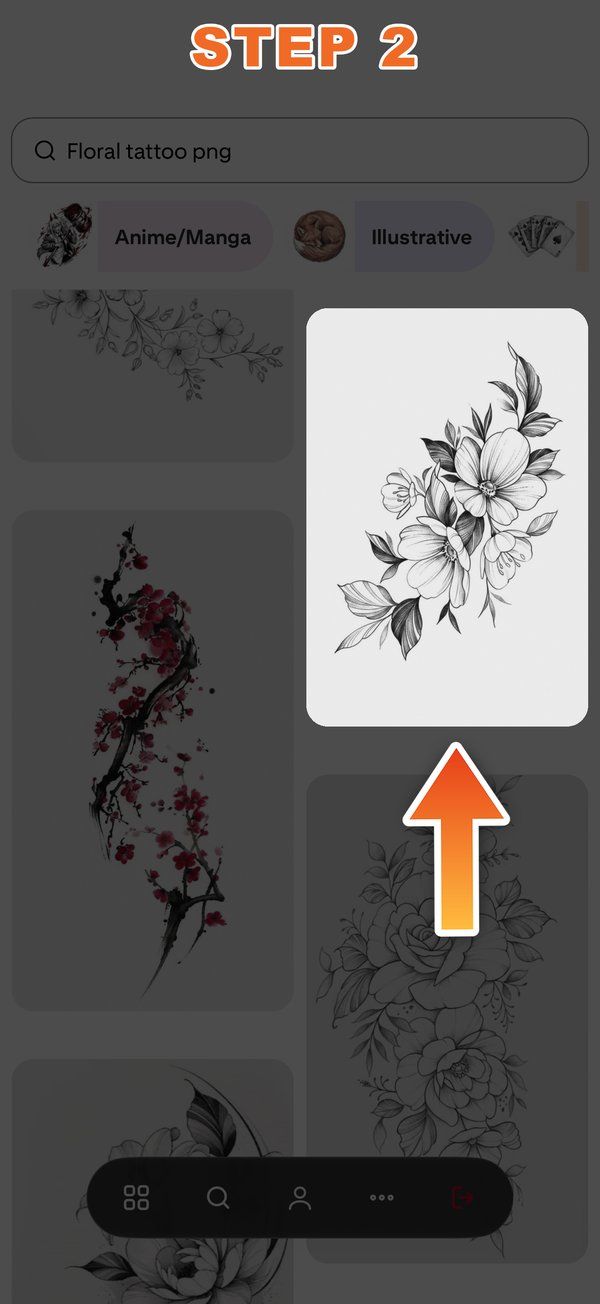
The browser opens on a tattoo search picked for the gender set in Profile. From there, search as you would anywhere — the wording is what decides the result. Words like sketch, flash or line art bring drawings on white paper; a query like sleeve tattoo mostly brings photographs of finished work on other people's arms, and those don't transfer well.
Try this Tattoo
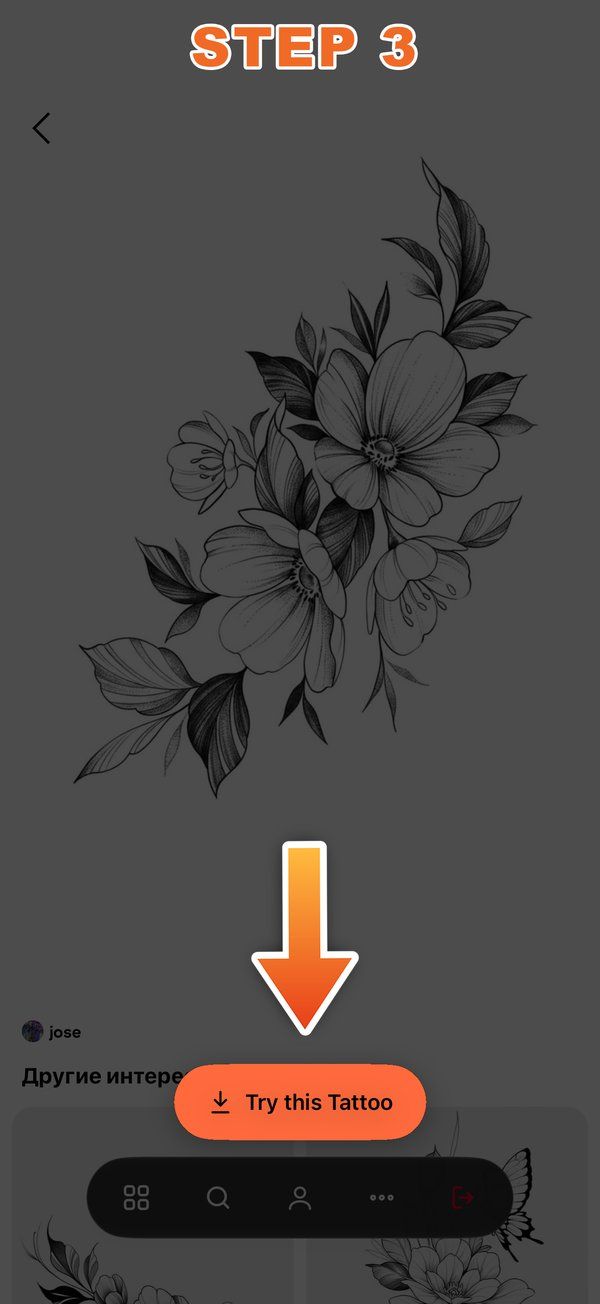
Tap a pin so it opens on its own page, and the orange Try this Tattoo button appears at the bottom. It takes the pin's full-size picture rather than the thumbnail and drops you straight into the try-on. Everything taken this way is also saved to My Tattoos with a Pinterest badge, so you never have to find it twice.
A link is enough
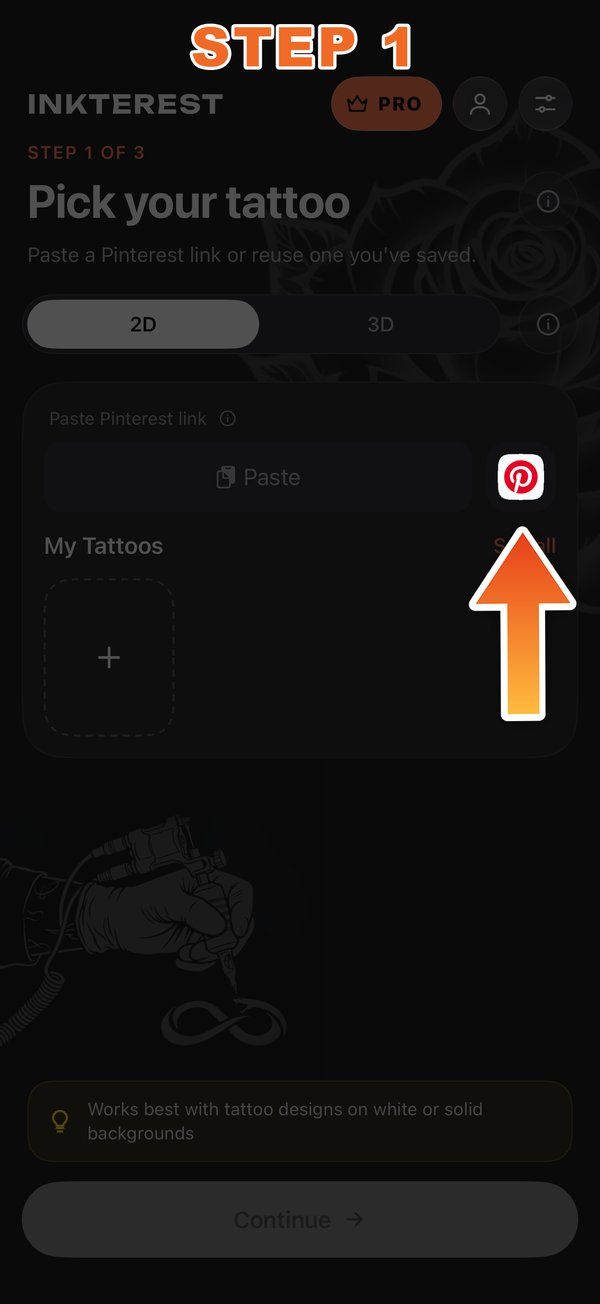
You don't have to browse inside the app at all. Copy a link to a pin anywhere — from a friend's message, from a desktop browser — and paste it into the link field on the tattoo step. A short pin.it link and the long pinterest.com/pin/… address both work: the app reads the page the way a search engine does and pulls the real picture out of it, instead of the brand collage Pinterest serves to robots. A direct link to an image on any other site works too. And with the field left empty, the button takes the link straight from your clipboard.
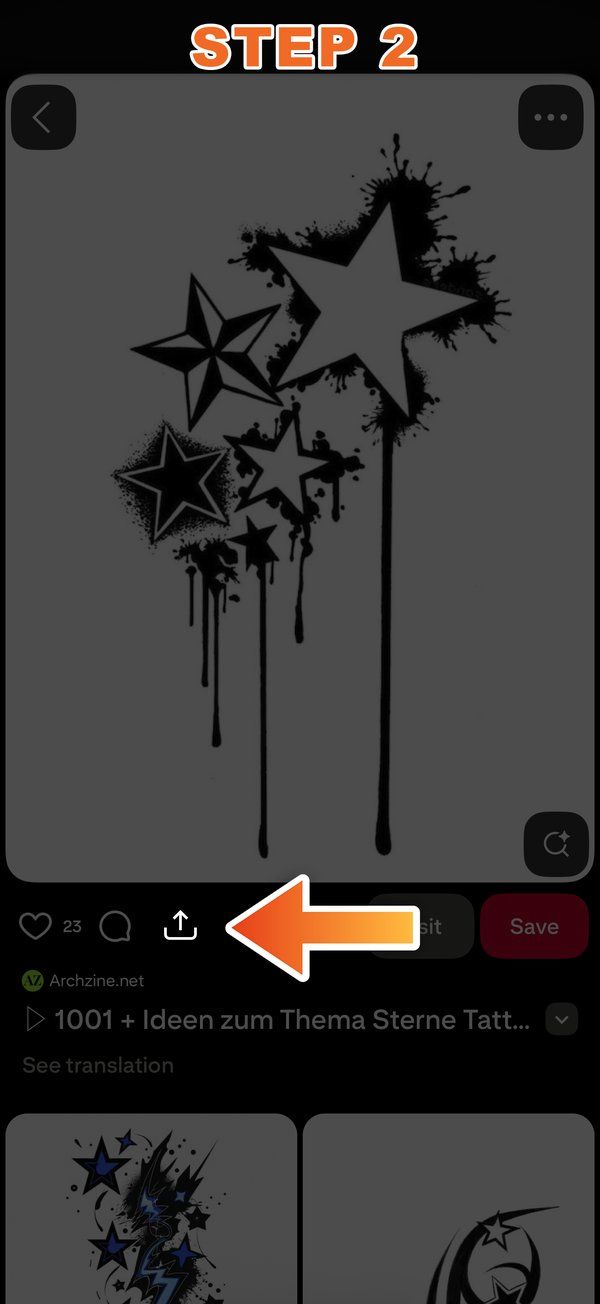
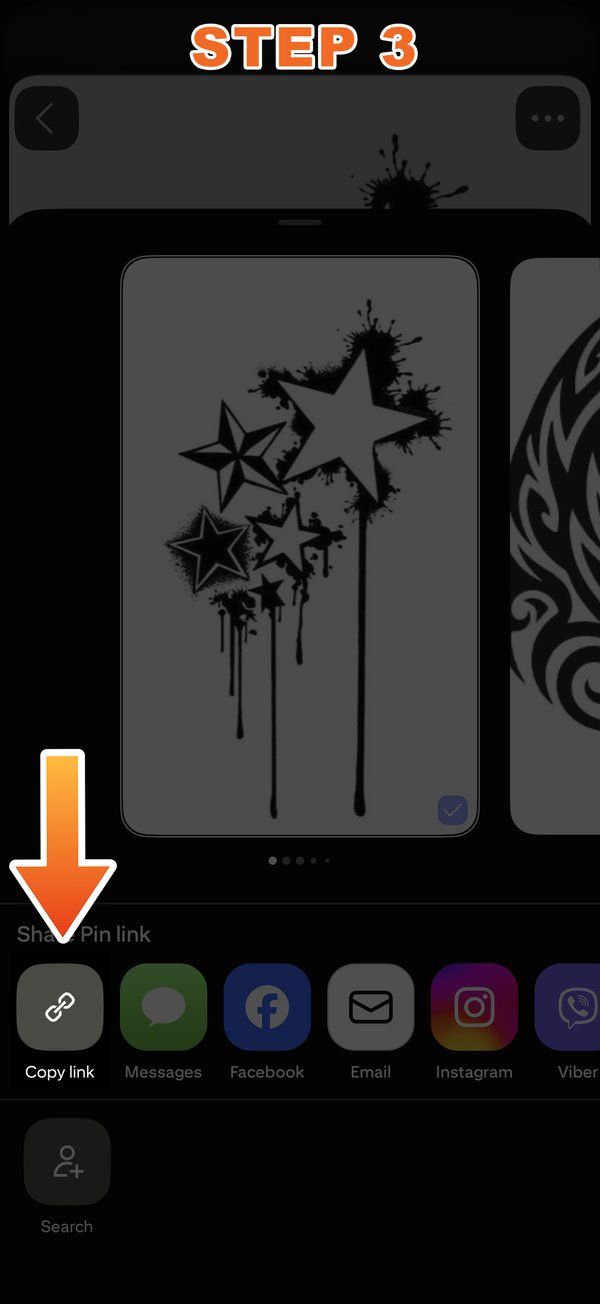
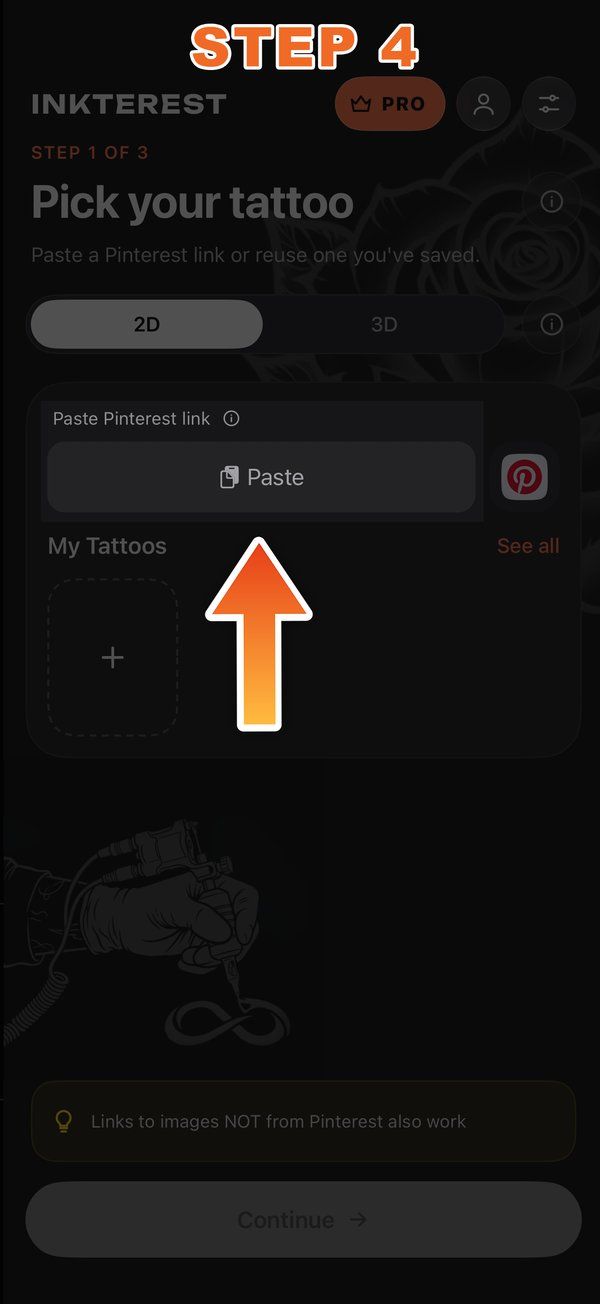
Straight from the Pinterest app
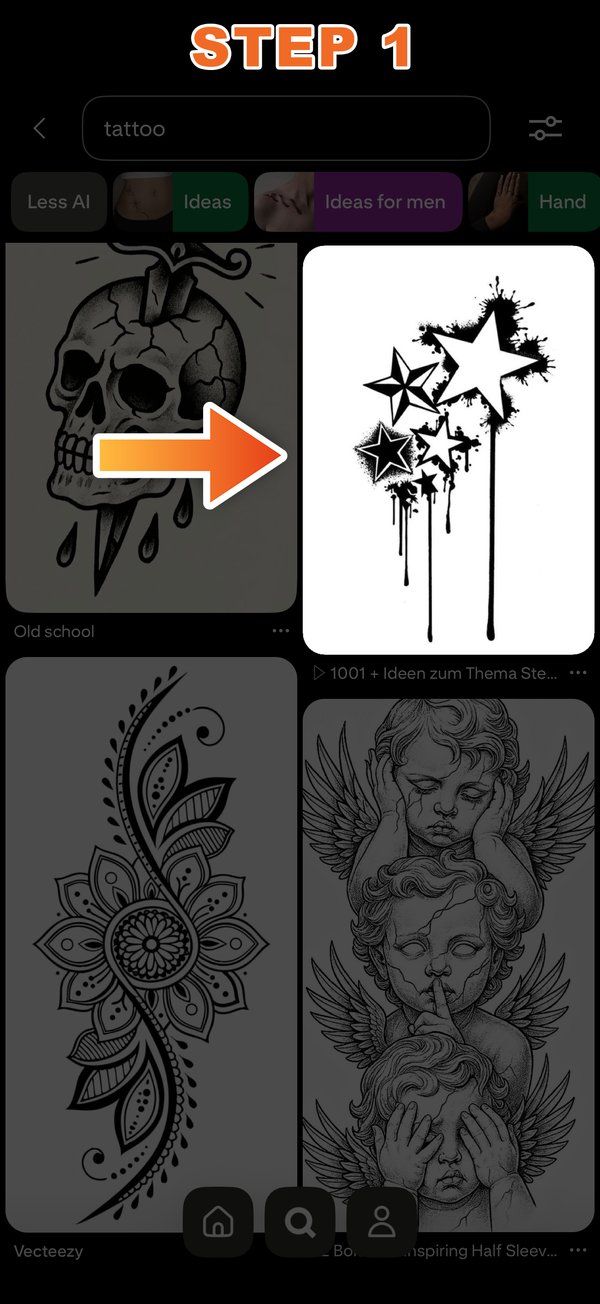
In the official Pinterest app, open a pin, tap Share and choose INKterest. Our extension takes the picture and hands it over: the app opens with the design already loaded. The same works from Photos, from Safari, from anywhere that can share an image.
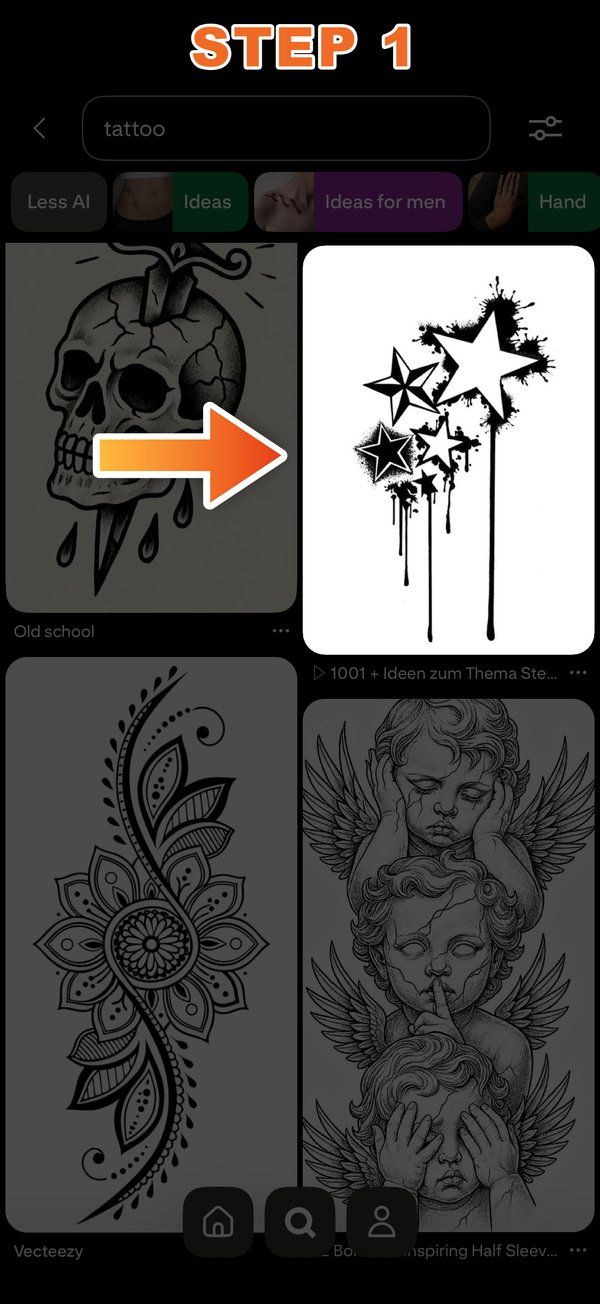
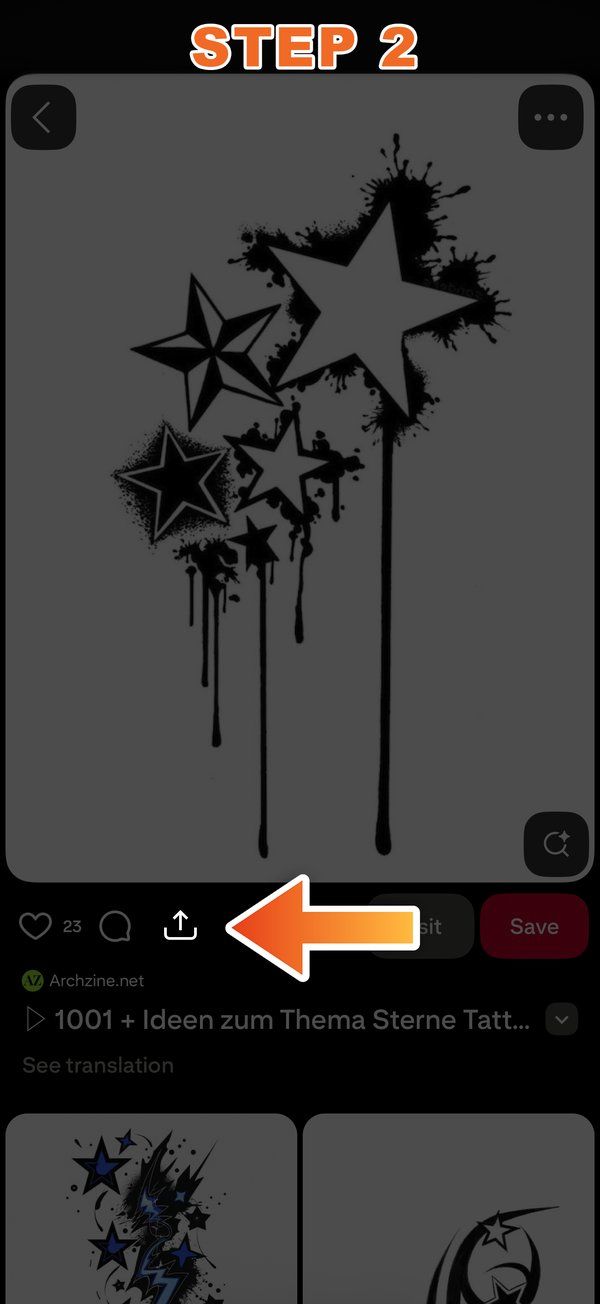
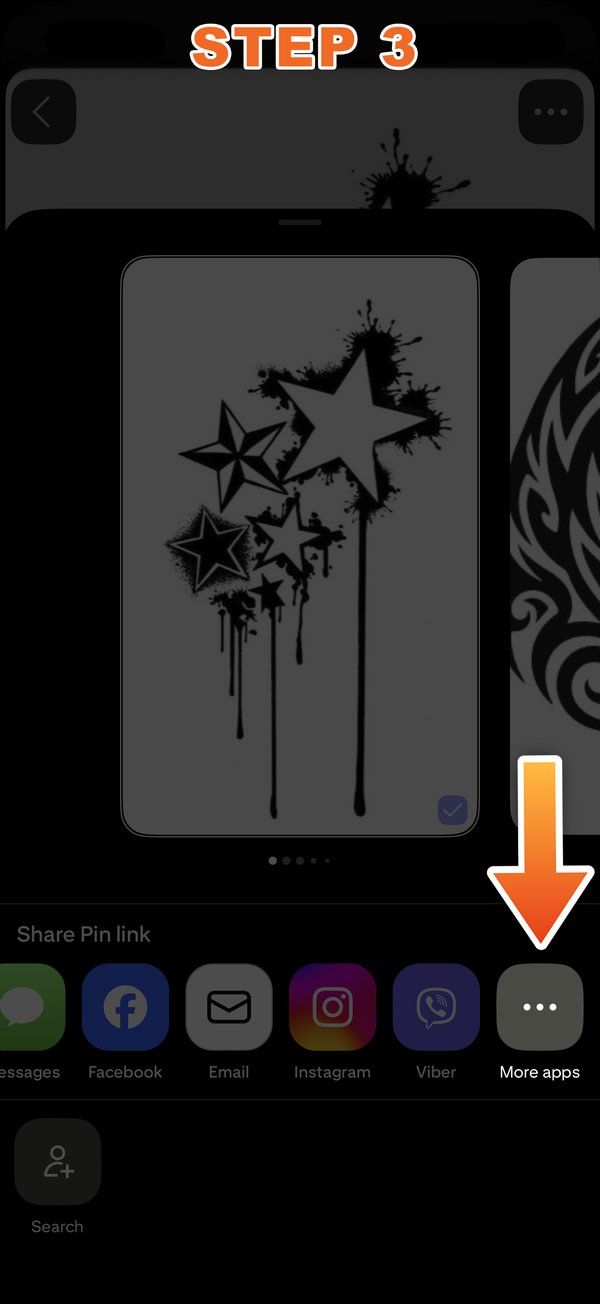
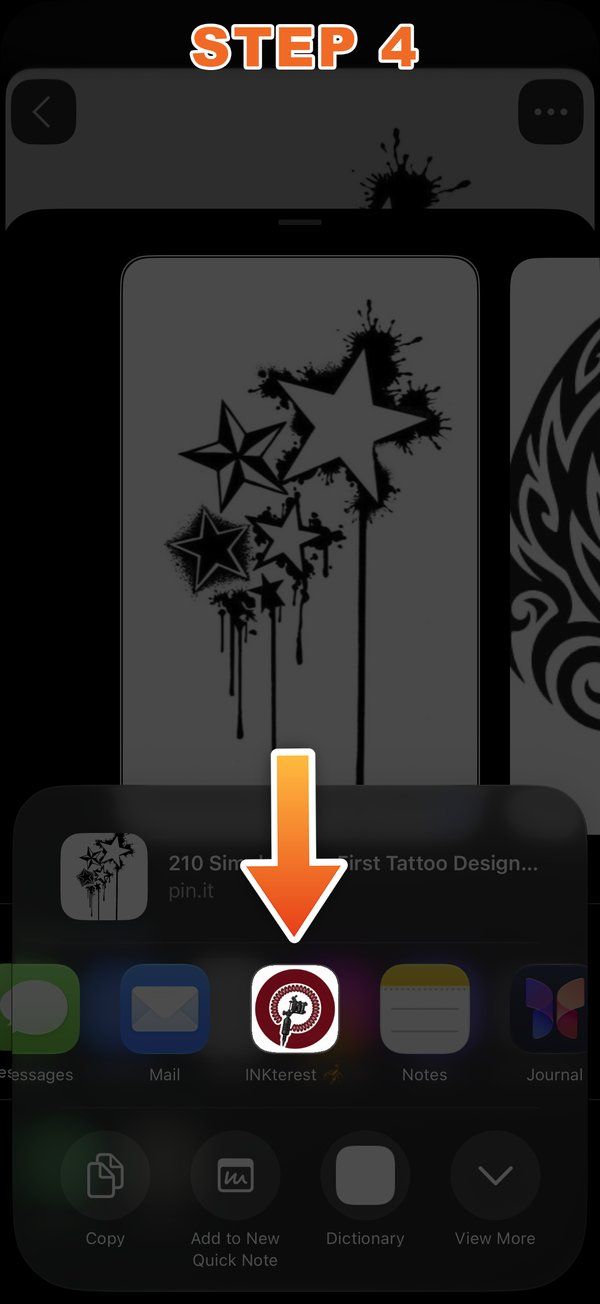
One thing to keep in mind while you browse: the app checks the background of every design you bring in and warns you when it isn't white. Clean sketches on white paper give the best try-on, the editor fixes most of the rest in a couple of taps — and Pinterest has more of them than you could ever get through.